Free Express Shipping


What Is 4K Resolution? Everything You Need to Know About 4K Streaming in 2026
4K means 3840 x 2160 pixels. Four times the detail of regular 1080p Full HD. By 2026 it's basically the baseline for streaming, gaming and live TV as long as your internet and device can actually decode it.
Screens have gotten bigger. Streaming has gotten cheaper. "HD" doesn't impress anyone anymore. Whether you're buying a new TV comparing streaming services or trying to figure out why one IPTV provider's 4K looks sharper than another's - this post provides information on what 4K actually is, what you need to use it today and where it's headed next.
What Is 4K Resolution?
4K refers to a display and video resolution of approximately 3,840 by 2,160 pixels — roughly 8.3 million pixels in total. The name comes from the horizontal pixel count being close to 4,000 (4K) and it's also widely known as Ultra HD (UHD).
To put that in perspective:
Standard HD (720p): 1,280 x 720 pixels (0.9 million pixels)
Full HD (1080p): 1,920 x 1,080 pixels (2.1 million pixels)
4K / Ultra HD (2160p): 3,840 x 2,160 pixels (8.3 million pixels)
8K (4320p): 7,680 x 4,320 pixels (33.2 million pixels)
That means 4K packs four times the pixel density of 1080p Full HD into the same screen size. In practice, this means sharper text, crisp edges on fast motion like live sports and noticeably richer color gradients — especially on larger screens (55 inches and up) where 1080p starts to look visibly soft.
It's worth noting that 4K is a resolution standard and not a guarantee of quality. A stream labeled 4K that's compressed too aggressively or delivered over a shaky connection can look worse than a well-encoded 1080p stream. Resolution is the pixel count and quality depends on bitrate, compression and source material too.
What's Actually Behind 4K? How Does It Work?
4K works by capturing, encoding, sending and decoding roughly four times more pixel data per frame than HD. That's only doable at a reasonable file size because of modern video compression.
Every 4K video you watch goes through the same basic steps whether it's a streaming service, an IPTV channel or a Blu-ray disc.
Capture — Content is filmed or rendered natively at 3840 x 2160 or higher, using cameras or graphics pipelines capable of that pixel density.
Encoding — Raw 4K footage is enormous — a single uncompressed minute can run into gigabytes. Encoders compress it using codecs like H.264, H.265/HEVC or the newer AV1, shrinking file size dramatically while preserving as much visual detail as possible.
Transmission — The compressed stream travels to your device over the internet for streaming or IPTV or gets read straight off physical media for 4K Blu-ray.
Decoding — Your TV streaming box or phone turns the compressed stream back into a viewable image in real time. That needs a chipset that can actually handle whatever codec was used. Older devices without HEVC or AV1 support either fail to play it or quietly drop down to a lower resolution.
This is also why 4K claims vary so much between providers. Two services can both advertise 4K but one might encode at a genuine 15–25 Mbps bitrate with HEVC while another upscales a lower-resolution source and technically outputs 3840x2160 pixels without the actual detail 4K promises. The resolution number alone doesn't tell you the full story — the encoding quality behind it does.
What Do You Actually Need for 4K Today?
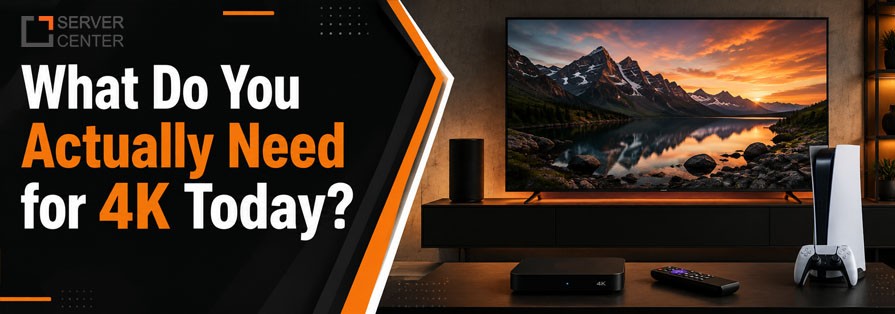
Quick answer: In 2026, real-world 4K streaming requires roughly 25 Mbps of sustained internet speed, a device with HEVC or AV1 decoding support and a source that's genuinely encoded in 4K rather than upscaled.
Here's the practical checklist:
1. Internet speed
Minimum sustained speed: 25 Mbps per 4K stream
Recommended for smooth playback with headroom: 50 Mbps or higher
Multiple simultaneous 4K streams in one household (e.g. live sports in one room, a movie in another) push total requirements toward 75–100+ Mbps
2. A 4K-capable device Most devices sold since roughly 2019 handle 4K fine but not all decode the same codecs equally well. Reliable choices include:
Amazon Fire TV Stick 4K / 4K Max
Apple TV 4K
NVIDIA Shield TV Pro
Modern Smart TVs (Samsung Tizen, LG webOS, Android TV/Google TV, 2019 or newer)
Older or budget streaming sticks that top out at 1080p will silently downgrade a 4K source so it's worth checking a device's specs before assuming it supports 4K.
3. A genuinely 4K source The label "4K" on a streaming service or channel doesn't always mean native 4K. Some providers upscale HD content and market it as 4K. A true 4K source will state its resolution (3840x2160) and typically its codec (H.265/HEVC or AV1) in its technical specifications. IPTV providers such as Boss IPTV Canada are among the services offering 4K channel streaming to subscribers.
4. A 4K-supporting display This one's obvious but worth stating: content plays at your display's native resolution ceiling. A 4K stream on a 1080p TV will automatically downscale so you won't see any visible difference over standard HD.
What's Next After 4K? Is 8K Worth Waiting For?
8K exists on paper but in 2026 it's not worth chasing yet. Content bandwidth infrastructure and affordable decoding hardware haven't caught up enough to make the jump worthwhile for most people.
Here's why 4K is still the practical standard for now and where things are heading:
Content availability: There's barely any content for it. Most movies, live events and IPTV channels are mastered in 4K not 8K. Even where 8K displays exist there's very little native 8K content to actually put on them.
Bandwidth demands: The bandwidth math doesn't work yet either. 8K needs roughly four times the data of 4K which means sustained speeds well above 100 Mbps per stream and that's still out of reach for most home internet setups.
Diminishing visual returns: In typical living room viewing distances and screen sizes, the human eye struggles to perceive the difference between 4K and 8K. The jump from 1080p to 4K is far more noticeable than 4K to 8K will be for most households.
Where 4K itself is still evolving: 4K itself is getting better. HDR for better contrast and color, higher frame rates for smoother sports and action and more efficient codecs like AV1 that hit the same 4K quality at a lower bitrate. That's what makes 4K more usable on an average connection.
The bottom line is 4K stays the practical ceiling for years to come. The real next step is better 4K and not a mass jump to 8K.
What Are the Pros and Cons of 4K?
4K gives you a genuinely sharper more immersive picture on bigger screens but it asks more of your internet, your hardware and sometimes your wallet.
Pros:
On the plus side you get noticeably sharper detail on screens 55 inches and up especially in text textures and fine patterns.
Better experience for live sports and fast motion where extra detail helps track fast-moving action like a ball or player
Future-proofing — most new TVs, phones and streaming boxes are 4K-native so 4K content won't look outdated as displays get bigger
Often paired with HDR, which improves color and contrast even more than resolution alone
Increasingly affordable — 4K is now standard on many mid-range devices and IPTV/streaming plans, not just premium tiers
Cons:
Higher bandwidth requirement — a slower or shared household connection may struggle to sustain 4K without buffering
Diminishing returns on smaller screens — on a 32–40 inch TV or a phone screen the difference from 1080p is barely visible
Not all "4K" labels are genuine — some sources upscale lower-resolution content so the label alone isn't proof of quality
Larger storage and data usage — 4K files and streams consume significantly more data than HD which matters for capped internet plans
Hardware dependency — older TVs, streaming sticks or set-top boxes may not decode 4K codecs properly, capping playback at HD regardless of the source
4K Compression: How Do Codecs Compare?
Quick answer: H.265/HEVC is the current standard for efficient 4K delivery, cutting file size roughly in half compared to H.264 at the same quality. While the newer AV1 codec pushes efficiency even further though device support still varies.
The takeaway: Two providers can both deliver 4K but the codec behind it determines how much bandwidth you actually need and how well it holds up on an average home connection. A service using HEVC or AV1 will typically stream more reliably at lower speeds than one still relying on older H.264 encoding.
Key Points to Remember About 4K
4K means 3840 x 2160 pixels — four times the detail of 1080p Full HD.
The 4K label alone doesn't guarantee quality; the codec, bitrate and whether the source is native or upscaled matter just as much.
You need roughly 25 Mbps of sustained internet speed, a decoding-capable device and a genuine 4K source to get the full benefit.
4K is most noticeable on screens 55 inches and larger smaller screens see diminishing returns.
H.265/HEVC is the current efficiency standard for 4K delivery and AV1 is the next step forward in compression.
8K exists but isn't yet practical or necessary for most households — 4K remains the standard through the rest of this decade.
Frequently Asked Questions
Is 4K the same as UHD?
Practically, yes. 4K and Ultra HD (UHD) are used interchangeably in consumer electronics. They both refer to roughly 3840 x 2160 resolution.
Do I need a special internet plan for 4K?
Not a special plan just enough sustained speed around 25 Mbps per stream which most standard broadband and fiber plans in 2026 handle without issue.
Can I tell if a stream is really 4K or just upscaled?
Genuine 4K sources typically state their resolution and codec explicitly. If a service is vague about technical specs or the picture looks soft despite a "4K" label, it may be upscaled rather than natively encoded.
Is 4K worth it for a small screen or phone?
Not really. The benefit shows up on bigger displays 55 inches and up or when you're viewing up close. On small screens the difference from 1080p is minimal.
Will 8K replace 4K soon?
Not anytime soon. Limited native content high bandwidth needs and barely any perceptible benefit at normal viewing distances mean 4K sticks around as the standard for years to come.